MCP & Vibe Coding
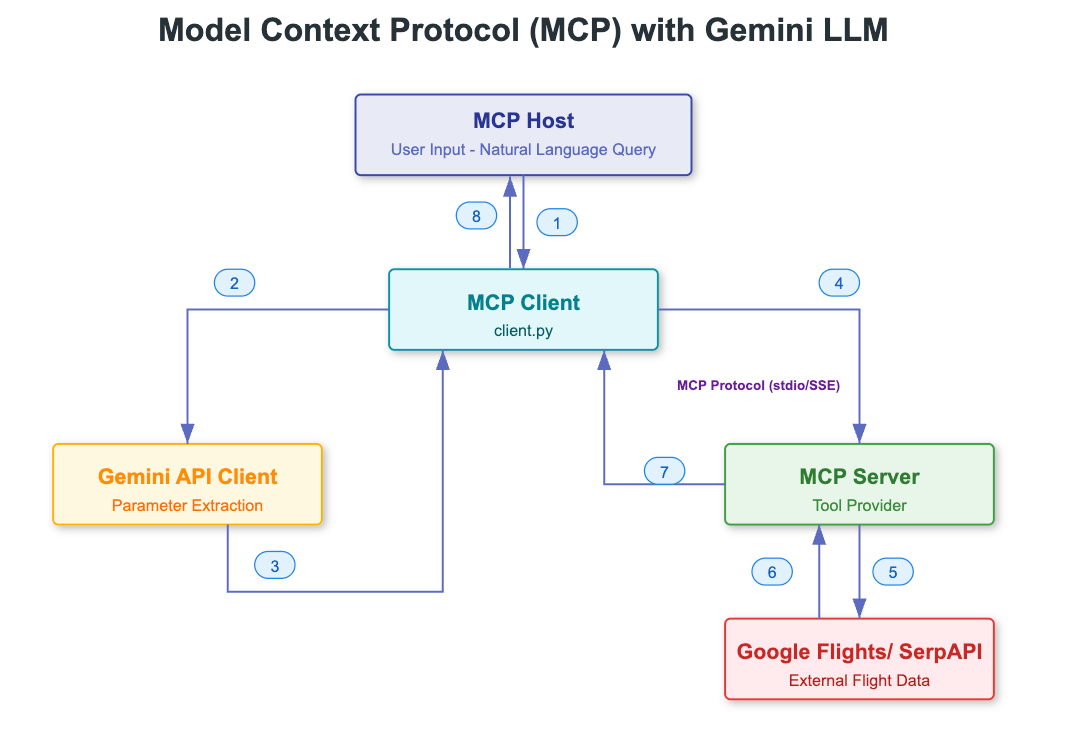
General MCP work flow#
!
MCP in IDE#
歡迎凱大跟子勤!
IDE#
- Claude https://www.cursor.com/
- Windsurf https://windsurf.com/pricing
- TRAE https://www.trae.ai/
- FireStudio https://firestudio.space/
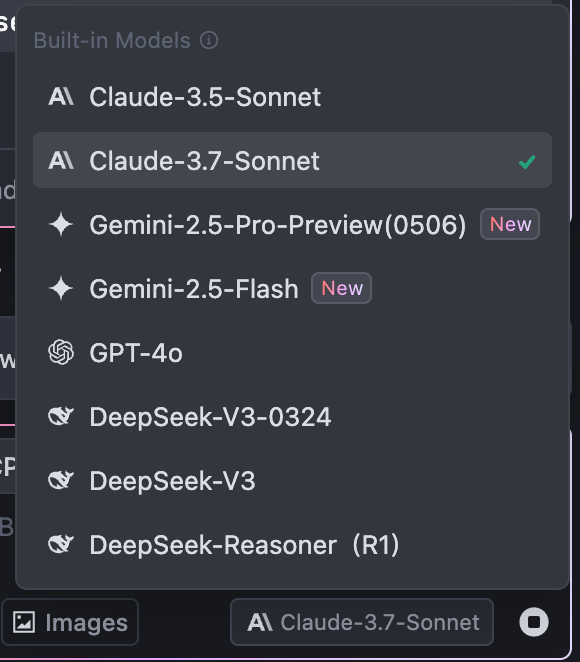
LLM Model#
- Claude-3.7
- GPT-4o
- DeepSeek-V3
- Gemini-2.5 pro
!
Flow - IDE with LLM#
!
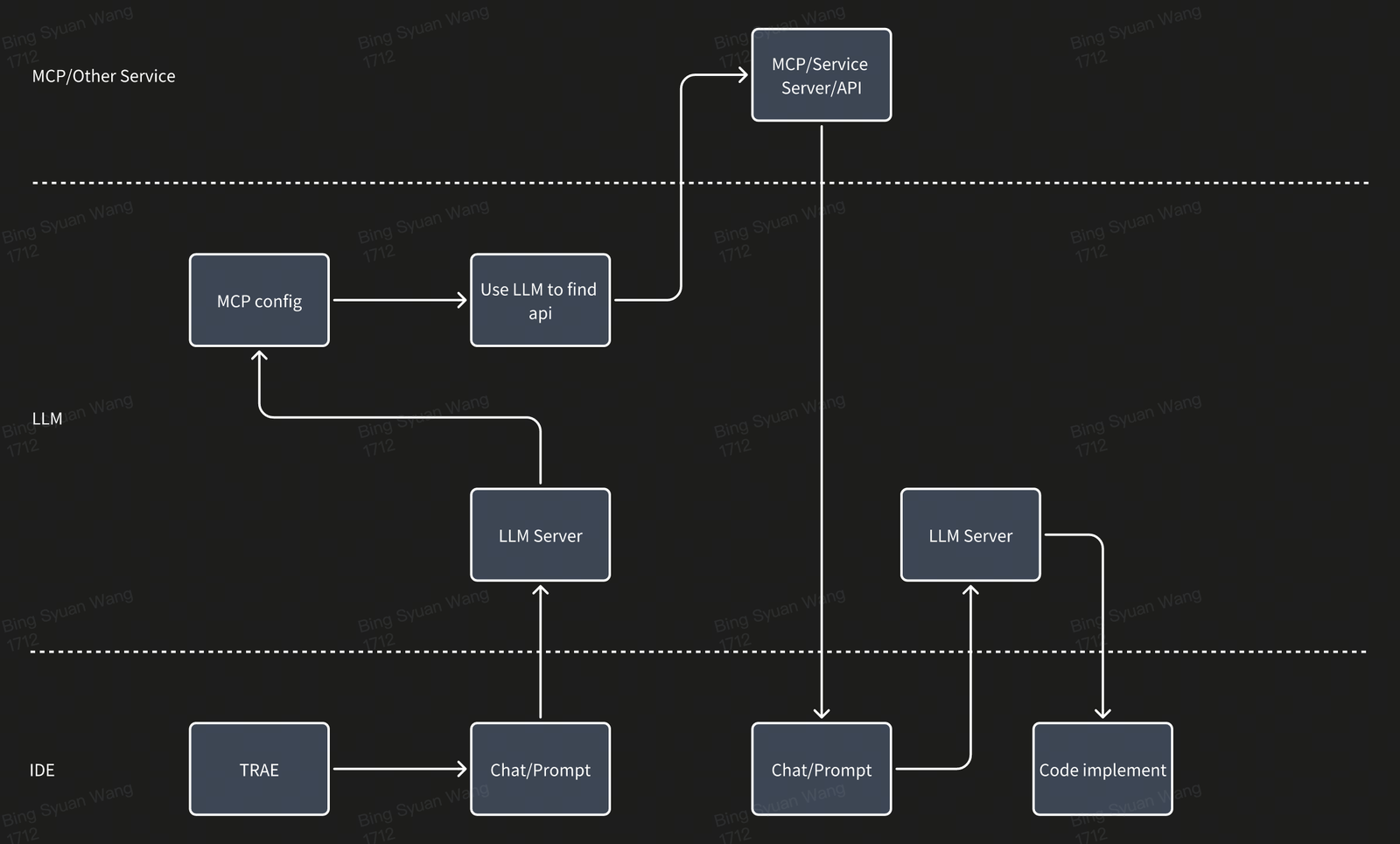
Flow - IDE with LLM and MCP#
!
Config example for get doc content#
https://github.com/modelcontextprotocol/servers
{
“mcpServers”: {
“LarkDocs”: {
“command”: “npx”,
“args”: [
“-y”,
“–registry”,
“http://bnpm.byted.org/”,
“@byted/mcp-lark-docs@latest”
],
“env”: {
“LARK_APP_ID”: “ididid”,
“LARK_APP_SECRET”: “secret”,
“AUTH_CALLBACK_PORT”: “”,
“AUTH_CALLBACK_ENDPOINT”: ""
}
}
}
}
IDE在背後做什麼#
將所有的MCP config丟給LLM
→ 判斷哪一個api是最適合的
→ 將api及呼叫方法回傳給IDE
→ IDE呼叫api拿資料
→ 將MCP api回傳的資料整理成prompt丟給LLM
→ code implementation
Read other posts